
GPT‑6 Astra is now available through BenPay AI API.
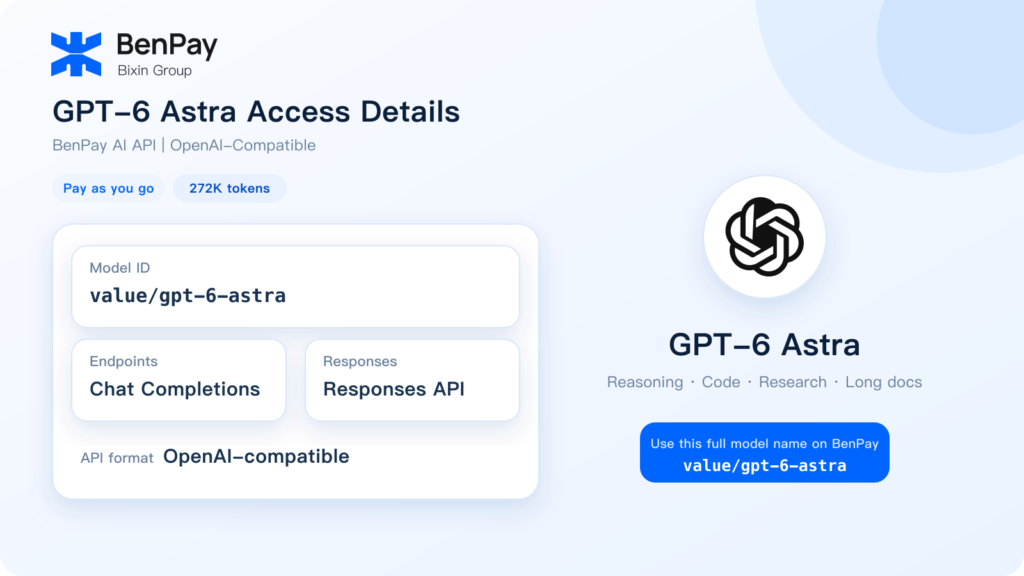
Developers can access the model through an OpenAI-compatible interface and pay according to actual token usage. The current BenPay model page lists the following information:
| Item | Current BenPay Information |
|---|---|
| Model | GPT‑6 Astra |
| Model ID | value/gpt-6-astra |
| Provider | OpenAI |
| API Format | OpenAI-compatible |
| Supported Endpoints | Chat Completions and Responses |
| Context | 272K tokens |
| Billing | Pay as you go |
BenPay currently lists input, output, cache-read and cache-write rates that are 80% lower than OpenAI’s published GPT‑6 Astra long-context rates.
This guide explains what GPT‑6 Astra is designed for, what BenPay currently supports, how the pricing comparison works and how to make an API request.
What Is GPT‑6 Astra?
GPT‑6 Astra is an OpenAI model designed for difficult end-to-end tasks.
According to the official OpenAI announcement, it is intended for complex reasoning, software engineering, computer use, research and professional work.
The official model documentation lists:
- Official Model ID:
gpt-6-astra - Context window: 1,050,000 tokens
- Maximum output: 128,000 tokens
- Reasoning token support
- Text input and output
- Image input
- Chat Completions and Responses API support
See the official GPT‑6 Astra model documentation for the full specification.
How Does BenPay Provide Access to GPT‑6 Astra?
BenPay currently provides GPT‑6 Astra through an OpenAI-compatible API.
The Model ID shown on BenPay is:value/gpt-6-astra
This differs from OpenAI’s official Model ID, gpt-6-astra. When making a request through BenPay, use the complete Model ID listed by BenPay.
The main configuration is:
| Configuration | Value |
|---|---|
| OpenAI-compatible Base URL | https://api.benpay.ai/openai/v1 |
| API Key | A BenPay AI API Key created by the user |
| Model ID | value/gpt-6-astra |
| Chat Endpoint | chat/completions |
| Responses Endpoint | responses |
A BenPay AI API Key is not an official API key issued by OpenAI. BenPay provides a unified access and billing layer through which users can call models currently supported by the platform.
How Much Does GPT‑6 Astra Cost on BenPay?
All prices below are in USD per 1 million tokens.
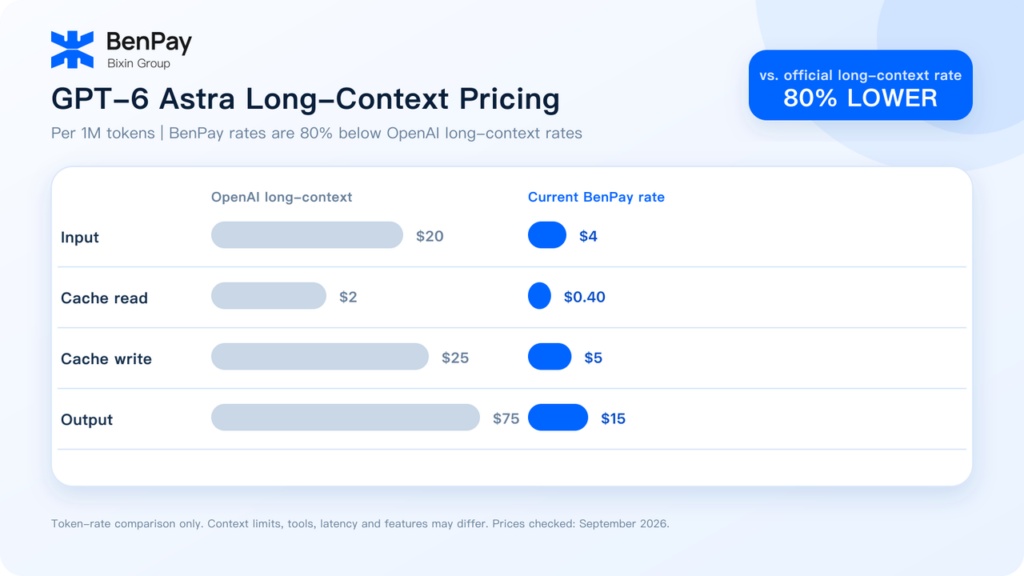
| Billing Item | OpenAI Long-Context Rate | Current BenPay Rate | Difference |
|---|---|---|---|
| Input Tokens | $20 | $4 | 80% lower |
| Cache Read | $2 | $0.40 | 80% lower |
| Cache Write | $25 | $5 | 80% lower |
| Output Tokens | $75 | $15 | 80% lower |
For GPT‑6 Astra, OpenAI applies long-context pricing when a request contains more than 272K input tokens. The full request is then charged at:
- 2× the standard input and cache rates;
- 1.5× the standard output rate.
This results in official long-context prices of $20 for input, $2 for cached input, $25 for cache writes and $75 for output per million tokens.
BenPay currently lists $4 for input, $0.40 for cache reads, $5 for cache writes and $15 for output. Each rate is 20% of the corresponding OpenAI long-context rate, or 80% lower.
This comparison covers published token rates only. It does not mean that the two access methods provide identical context limits, native tools, latency or feature coverage.
Prices were checked in September 2026 and may change. Always review the latest information on both platforms before making a purchasing or integration decision.
For a detailed explanation of input, output and cache billing, read How Is AI API Pricing Calculated? Token Prices, OpenAI Costs and Calculation Examples.
What Can GPT‑6 Astra Be Used For?
Complex Reasoning and Analysis
GPT‑6 Astra can support tasks that require multiple constraints, structured analysis and a complete conclusion, including business analysis, research synthesis and comparison of complex options.
Software Development
Developers can test it for code generation, debugging, code review, project analysis and technical documentation.
Before using it in production, evaluate the model on a representative internal test set and review code quality, output format, latency and cost.
Long-Document Processing
Within the context limit shown by BenPay, the model can be used to process reports, product documentation, research material, meeting notes and longer conversation histories.
Remove irrelevant or duplicated content before sending a request to avoid unnecessary input-token costs.
Professional Content and Documents
GPT‑6 Astra can help organize reports, draft documentation, produce structured content and revise existing materials.
Outputs involving legal, medical, financial or other high-stakes subjects should still be reviewed by a qualified professional.
Agent and Automation Workflows
The BenPay model page lists Responses as a supported endpoint, allowing developers to test workflows that require multi-step processing or structured responses.
How to Call GPT‑6 Astra Through BenPay
Step 1: Open BenPay AI API
Log in to your BenPay account and open the AI API page from the main navigation.
Step 2: Prepare an Available Balance
Make sure that your AI API USD Balance has sufficient funds. Eligible new users can also check whether trial credits are currently available.
Step 3: Create an API Key
Open the API Key section and create a BenPay AI API Key for the relevant application or project.
The full key may only be displayed once. Copy it immediately and store it securely. Never expose an API key in a public repository, website frontend, article screenshot or public chat.
Step 4: Configure the Base URL and Model ID
Use:
- Base URL:
https://api.benpay.ai/openai/v1 - Model ID:
value/gpt-6-astra - API Key: Your BenPay AI API Key
Step 5: Send a Test Request
The following example uses Chat Completions:
curl https://api.benpay.ai/openai/v1/chat/completions \
  -H "Content-Type: application/json" \
  -H "Authorization: Bearer YOUR_API_KEY" \
  -d '{
    "model": "value/gpt-6-astra",
    "messages": [
      {
        "role": "user",
        "content": "Summarize three cost factors to consider when using a long-context AI model."
      }
    ]
  }'
Replace YOUR_API_KEY with your own BenPay AI API Key.
Begin with a small number of non-sensitive test requests. Confirm that the model can be called successfully, check the response format and review the reported token usage and balance deduction.
See the Getting Started with BenPay AI API guide for the general account and configuration process.
How to Migrate an Existing OpenAI-Compatible Project
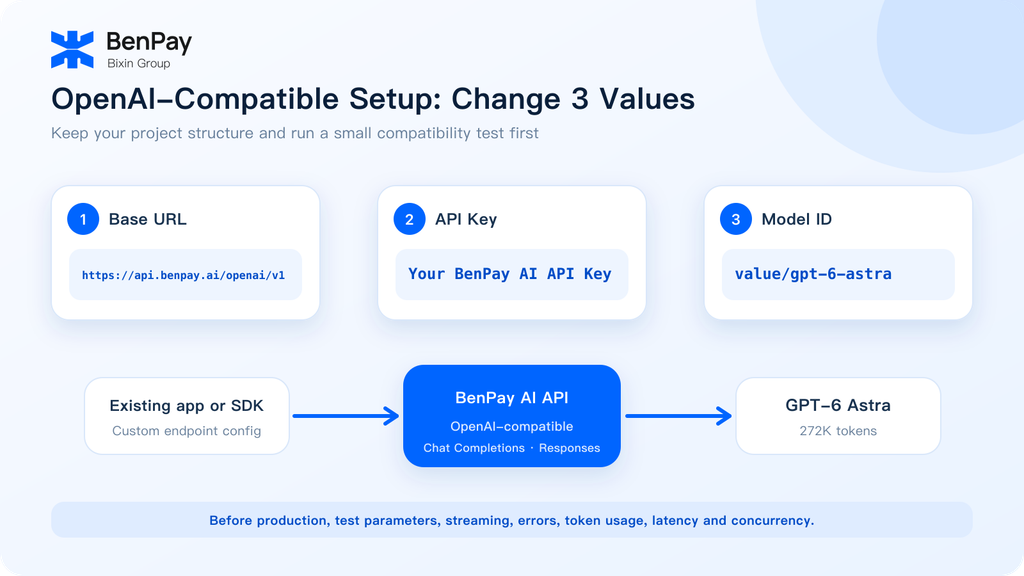
If an application already allows a custom OpenAI-compatible endpoint, the migration will generally involve three configuration changes:
| Configuration | Existing Project | BenPay Configuration |
|---|---|---|
| Base URL | Existing provider endpoint | https://api.benpay.ai/openai/v1 |
| API Key | Existing provider key | BenPay AI API Key |
| Model ID | Existing model name | value/gpt-6-astra |
An OpenAI-compatible interface can reduce integration work, but compatibility does not guarantee that every native OpenAI feature behaves identically.
Before production deployment, test:
- Basic text requests;
- Multi-turn conversations;
- Responses API behavior;
- Streaming and structured output compatibility;
- Error handling and retry logic;
- Reported token usage and charges;
- Latency and concurrency under expected workloads.
Projects that rely heavily on OpenAI-exclusive features can keep the official OpenAI integration while using BenPay as an additional model access option.
How to Control GPT‑6 Astra API Costs
Send Only the Context Required for the Task
Avoid repeatedly sending an entire conversation history, unrelated documents or duplicate examples. Longer inputs produce higher token usage.
Define the Required Output
If a task only needs a summary, list or JSON response, specify the format and expected length in the prompt.
Evaluate Caching with Real Workloads
Tasks that repeatedly use the same system prompt, knowledge-base content or document may benefit from caching.
Because cache writes and cache reads have different rates, actual savings depend on reuse frequency and cache behavior.
Test Before Scaling
Run a representative set of real tasks before increasing request volume. Compare output quality, latency, token use and the amount of human review required.
The lowest price per request does not always produce the lowest total cost for a completed, acceptable task.
BenPay GPT‑6 Astra FAQ
Does BenPay Support GPT‑6 Astra?
Yes. GPT‑6 Astra is currently listed on the BenPay supported-model page under the Model ID value/gpt-6-astra.
What Is the Current BenPay GPT‑6 Astra Price?
Per 1 million tokens, BenPay currently lists:
- Input: $4
- Output: $15
- Cache read: $0.40
- Cache write: $5
Pricing may change, so check the live model page before use.
What Does “80% Lower” Compare Against?
The comparison uses OpenAI’s official GPT‑6 Astra long-context rates, which apply when a request contains more than 272K input tokens.
It is not a comparison with OpenAI’s standard short-context rates, and it does not mean that both access methods have identical context limits or feature coverage.
Can I Use an Existing OpenAI SDK?
If the SDK or third-party tool supports a custom Base URL, API Key and Model ID, it can generally be configured for an OpenAI-compatible provider.
Parameter and feature support may vary, so complete a practical compatibility test before production use.
Does BenPay Support the Responses API?
The current BenPay GPT‑6 Astra model page lists responses as a supported feature. Refer to the latest BenPay documentation and test the required parameters before production deployment.
Start Testing GPT‑6 Astra Through BenPay
BenPay AI API provides an OpenAI-compatible way for developers and teams to access GPT‑6 Astra.
The current route uses value/gpt-6-astra as its Model ID, lists support for Chat Completions and Responses, and displays a context length of 272K tokens. Its input, output, cache-read and cache-write prices are each 80% lower than OpenAI’s published long-context rates.
If you want to test GPT‑6 Astra in an existing tool, application or automation workflow, log in to BenPay, open the AI API page, create an API key and begin with a small number of requests.
Open BenPay AI API to check the latest GPT‑6 Astra pricing and start testing.
Disclaimer: Pricing was reviewed in September 2026 and is provided for general comparison only. Model prices, context limits, trial credits, endpoints and supported features may change. Refer to the current BenPay and OpenAI pages before use. BenPay AI API is a compatible access service, and a BenPay API Key is not an official OpenAI API Key.