
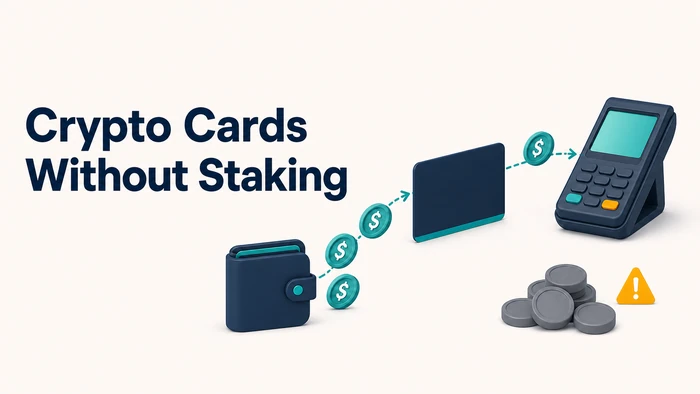
You open a crypto card comparison page, see a bold cashback rate, then find the catch: stake a large sum in the card’s native token first. That’s the exact trade non-staking searchers are trying to avoid. Not everyone wants to buy and lock up a separate token just to spend the crypto they already hold. The real difference between cards isn’t the advertised rate, it’s what each one actually charges once you skip staking. This article compares crypto debit cards using clear, consistent criteria. It covers real fees, cashback caps, and limits for 2026, not marketing numbers.
What No Staking Means
“No staking required” means one specific thing: you don’t have to buy and lock up the issuer’s own token, or hold a large minimum balance, just to activate the card or unlock its base rewards tier.
That’s the entire claim. It says nothing about whether the card is free to open, whether it works in your country, or whether your identity documents will clear review. Those are separate questions, checked separately.
It’s worth confirming this at the source rather than trusting a comparison table. Some issuers market a card as staking-free but still gate the top cashback tier behind a token lock-up, while a lower tier stays open to everyone. Read the tier structure, not just the headline.
Fees Beyond Staking
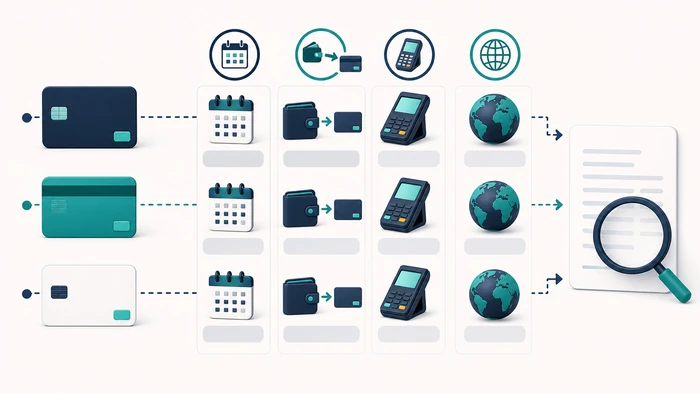
Once staking is off the table, the fees that remain are the ones that apply to almost every card in this category, regardless of how rewards are structured.
Opening fee. A one-time charge to activate the card. Some issuers waive it; others charge it upfront regardless of whether you ever use the card again.
Monthly or annual fee. A recurring charge to keep the account active. This can be flat, tiered by account level, or waived above a certain spending or balance threshold, and on some cards it’s $0.
Top-up fee. A percentage charged each time you move crypto or stablecoins onto the card balance. This is easy to miss because it’s charged repeatedly rather than once, and it compounds with frequent top-ups.
Foreign exchange fee. A markup applied when a purchase is settled in a currency different from the card’s base currency, separate from any crypto-to-fiat conversion spread.
ATM withdrawal fee. Often a flat fee plus a percentage, sometimes with a small number of free withdrawals per month before charges kick in.
The mistake most comparisons make is quoting a single fee, usually the monthly fee, as if it represents total cost. Add the fees you’d realistically trigger over a year: how often you’d top up, whether you withdraw cash, whether you spend abroad. Two cards with identical monthly fees can land far apart once top-up frequency and FX exposure are factored in.
Cashback and Reward Terms
Cashback headlines are the number most likely to mislead once staking is removed from the equation, because the advertised rate is rarely the rate most cardholders actually receive.
Four terms determine the real payout:
- Monthly cap. A ceiling on how much cashback you can earn in a billing cycle, after which the rate drops or stops.
- Category restrictions. Some cards pay the advertised rate only on specific spending categories, with a lower default rate elsewhere.
- Payout currency. Rewards may be paid in stablecoins, the issuer’s own token, or fiat, each carrying different liquidity and volatility implications.
- Tier eligibility. The advertised top rate may still require a spending minimum, a balance threshold, or an active subscription tier, even without staking.
Before comparing rates across cards, check all four against the issuer’s own terms page. A rate that looks higher on a comparison chart can pay out less in practice once a cap or category restriction applies.
Identity Review, Eligibility, and Country Availability
Removing a staking requirement doesn’t remove identity review. Many providers in this category ask for government-issued ID before an account is approved, and higher spending or withdrawal limits often call for additional proof of address or source-of-funds documentation. Requirements vary by issuer, so confirm what a specific card actually asks for rather than assuming a category-wide standard.
Country availability is where comparisons break down fastest. A card that’s fully functional in one region may be unavailable, offered in a limited form, or restricted from certain features in another, depending on local licensing and banking partnerships. Card format is another point that varies by issuer and changes over time, along with what that format requires in terms of shipping address or delivery time. Confirm current eligibility, country support, and card format directly with the issuer rather than a comparison page, since availability shifts more often than marketing pages get updated to reflect.
Custody and Funding Flow
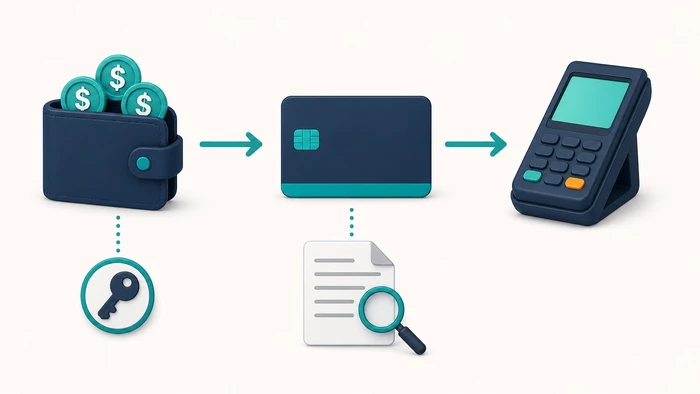
How a card holds your funds between top-up and purchase matters as much as its fee schedule. Custodial cards convert or hold your crypto within the issuer’s own accounts, which means you’re relying on that company’s security and solvency for however long funds sit there before you spend them. Non-custodial or wallet-linked cards instead draw from a wallet you control, converting closer to the point of sale, which shortens issuer custody but depends on the wallet and its network being available at checkout.
Funding methods vary too. Some cards accept a transfer from any compatible external wallet; others require routing funds through a specific in-app wallet or linked exchange account first. Some support both crypto and fiat top-ups, others only one. Knowing whether a card is custodial or non-custodial, and how funds actually move from your wallet to a completed purchase, is a more useful risk signal than whether staking is required.
Wallet Compatibility
Without a staking requirement pulling you into a native token ecosystem, wallet compatibility becomes a more practical point of comparison. Some cards work only with a proprietary in-house wallet, requiring funds to land there before they can be spent. Others connect directly to external wallets over a supported blockchain network, skipping that intermediate step. The specific networks and assets supported differ by issuer and change over time as support is added or dropped, so check the current list rather than assuming broad compatibility. If your holdings are spread across multiple chains, confirm the card actually accepts those chains before applying.
Freezing, Support, and Disputes
Before relying on any card in this category for regular spending, check three things directly with the issuer rather than assuming they match a traditional debit card: whether the app lets you freeze or lock the card immediately if it’s lost or misused, what the stated process is for disputing an unauthorized charge, and what contact channels and response times the issuer actually publishes.
These cards sit between crypto and traditional payment rails, so a dispute involving a conversion step may need the crypto value at the time of the charge reconciled separately. Ask the issuer how that’s handled before you need it, not after. Also check whether freezing the card blocks pending transactions immediately or only prevents new ones from starting, since issuers differ on this.
BenPay Cards: A No-Staking Route From Stablecoins to Spending
The current BenPay card application asks the applicant to choose a card, pay the opening fee, submit materials, and pass review. Staking is not listed in that application flow. Once a card is open, USDT, USDC, or BUSD can be moved from a BenPay account into the card account, so a separate platform token does not have to be bought or locked before the card is funded.
Alpha is the route for lower top-up cost: it has a $0 monthly fee, 0% top-up fee, 1% spending fee, and 1.5% cross-border or FX fee with a $0.01 minimum. The current total card limit stated for Alpha is $200,000.
Sigma is designed for longer-term use and predictable non-USD transaction costs: it has a $1 monthly fee, 1.5% top-up fee, 0.5% spending fee with a $0.50 minimum, and a $0.50 fee per non-USD transaction.
Delta is positioned for AI subscriptions and regular online or in-store spending: it has a $1 monthly fee, 0.5% top-up fee with a $0.01 minimum, and 0% spending fee. Its $0.05 USD and $0.40 non-USD authorization charges, 1.5% FX fee, 0.5% refund fee, and $0.50 declined-transaction fee still matter for the spending pattern.
The practical choice is therefore not a generic “best card.” Alpha suits someone who funds frequently; Sigma suits someone who wants a flat non-USD transaction charge; Delta suits recurring spending when its authorization and other transaction charges are also acceptable. If a card is lost or not needed, the My Cards interface provides a freeze control that requires wallet-signature confirmation and can later be reversed manually.
Choosing by Spending Pattern
Match the tier to the habit that costs the most, not to the lowest single fee on the page.
Frequent top-uppers should weigh Alpha’s 0% top-up fee against its 1% spending rate. Someone who tops up rarely but spends often across many small purchases may find Sigma’s $0.50 per-purchase minimum works against them, since a 0.5% rate only exceeds that floor above $100 per transaction. Delta’s 0% spending rate suits high per-purchase volume, but its per-authorization charges accumulate across many small transactions, and its refund and chargeback fees matter if you return goods often.
For foreign spending, Sigma’s flat $0.50 non-USD transaction fee is predictable regardless of amount, while Alpha’s and Delta’s 1.5% FX rates scale with transaction size, which favors the flat fee on large purchases and the percentage on small ones. Run your own rough monthly volume through each tier’s top-up, FX, and spending rates before assuming any one tier is the default choice.
FAQ
How do BenPay’s card tiers differ on fees?
Alpha has a $0 monthly fee with 0% top-ups, 1% spending, and 1.5% FX with a $0.01 minimum, plus a stated $200,000 total card limit. Sigma has a $1 monthly fee with 1.5% top-ups, 0.5% spending at a $0.50 minimum, and a $0.50 non-USD transaction fee. Delta has a $1 monthly fee with 0.5% top-ups at a $0.01 minimum and 0% spending, alongside authorization, FX, refund, and chargeback charges.
Do BenPay cards require staking?
The current application guide lists card selection, payment of the opening fee, submission of materials, and review; it does not list staking. The current application page remains the place to confirm requirements before applying.
Can I top up a BenPay card with stablecoins?
Yes. BenPay’s card top-up guide lists BUSD, USDT, and USDC: the stablecoin first reaches the BenPay account, then moves to the card account through the Recharge action.
What should I do if my BenPay card is lost or compromised?
Open My Cards, choose More, then Freeze; the guide says the freeze requires wallet-signature confirmation. A manually frozen card can also be manually unfrozen, while cards frozen for other reasons require support contact.