
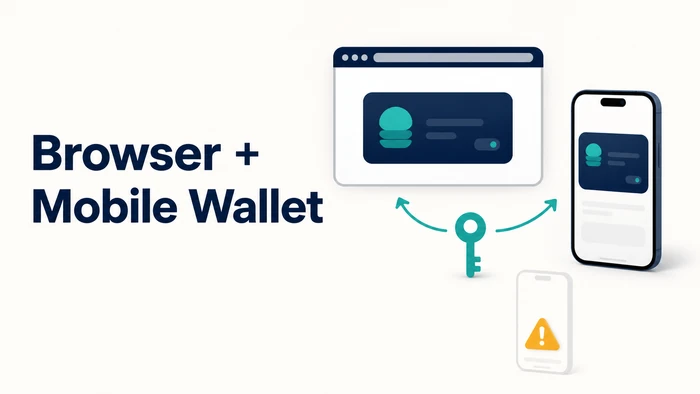
A trader opens a wallet through a browser extension at a desk, then reaches for a phone to check the same balance an hour later. Some self-custodial wallets treat that as one wallet, with the extension and the mobile app reading the same seed phrase and showing the same balance and transaction history. Others ship an extension and an app that share a brand name but stay separate until the same recovery phrase is entered by hand on both. That distinction decides whether moving between a desktop and a phone requires nothing more than opening the app, or repeating part of wallet setup each time. This article covers what “browser extension and mobile” support actually means across self-custodial wallets, how the common sync methods differ, and what to check before treating any wallet as covering both devices.
What “Browser Extension and Mobile” Actually Means for a Self-Custodial Wallet
Two apps from the same company do not automatically share one wallet. A browser extension and a mobile app can display the same logo and still hold two separate sets of private keys, each generated independently the first time the app is opened.
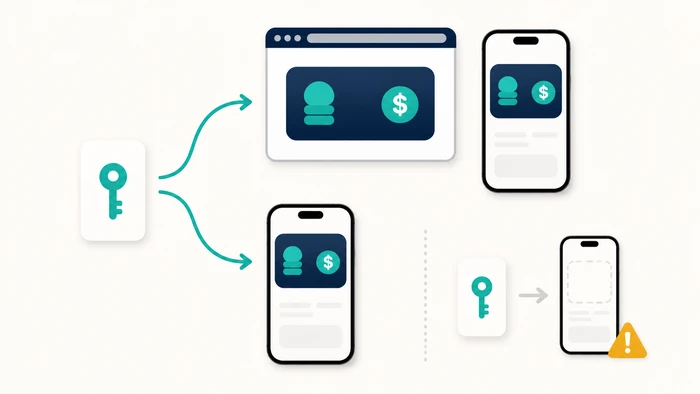
What actually links them is the recovery phrase, not the brand. When the same recovery phrase unlocks both the extension and the mobile app using the same derivation settings, they are reading the same underlying keys and show the same balances and history; derivation paths and default account selection can vary by wallet, so the resulting address should be confirmed rather than assumed. If a new phrase is generated separately on each app, they are two unrelated wallets that happen to share a name.
This distinction matters before comparing specific products, because a wallet can honestly advertise “browser extension and mobile app” while leaving open whether those two surfaces are ever meant to hold the same funds at once.
A reader who opens an extension, then later opens a mobile app with a similar name and logo, can end up looking at an empty wallet. Nothing was lost or moved; the two apps simply generated separate keys and never held the same funds to begin with. The fix is not troubleshooting a missing balance, it is entering the same recovery phrase into both apps before assuming they were ever connected.
How Wallets Keep an Extension and a Mobile App in Sync
Two mechanisms account for most of what gets marketed as cross-device support among self-custodial wallets.
Same-Seed Import
The most common method: a wallet is created once, on either the extension or the mobile app, and the resulting recovery phrase is typed into the second app during its own setup. Both apps then derive matching addresses from the same phrase, when the same derivation settings apply, and show matching balances and transaction history. MetaMask, Trust Wallet, Phantom, Coinbase Wallet, and Exodus each describe this same-recovery-phrase method, in their own setup and recovery documentation, for restoring a wallet on a second app.
Within this method, nothing passes between the two apps automatically: the connection exists only because the same secret was entered by hand, twice.
Account-Linked or Encrypted Sync
A smaller number of products layer an account sign-in, such as an email, Google, or Apple login, on top of or instead of a seed phrase. OKX Wallet’s own setup documentation confirms that signing in this way creates a wallet automatically, with no manual seed-phrase backup required at that step. That documentation, as reviewed for this article, does not specify whether the extension and the mobile app resume the same account under that sign-in option without an additional step, so that specific behavior should be confirmed directly with OKX rather than assumed.
Where an account sign-in like this is used, it adds a second thing to protect: the login credential, alongside any seed phrase generated behind it. A wallet using this model is not automatically less secure, but it does carry an additional point that needs safeguarding.
In a same-seed wallet, losing the recovery phrase means losing the only documented recovery method for that wallet, unless the provider states elsewhere that a separate, approved recovery option exists. In an account-linked wallet, the provider’s own account-recovery process may restore access to the app itself, but the seed phrase behind it still needs to be backed up separately, since the account login controls access to the app, not the underlying keys.
What to Check Before Assuming a Wallet Covers Both Devices
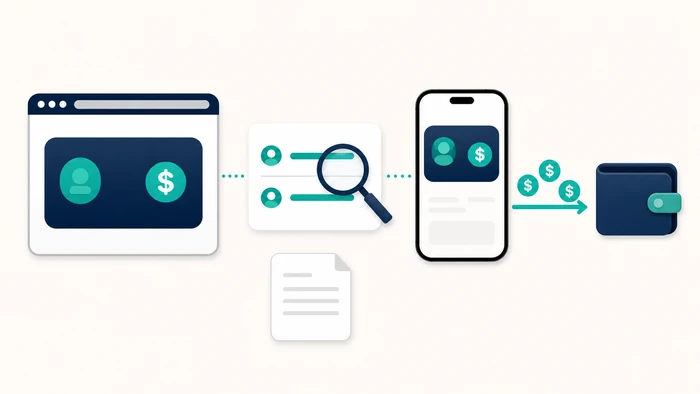
A few checks confirm whether “browser extension and mobile” support behaves as one wallet in practice, rather than as two disconnected apps.
- Confirm both the extension and the mobile app are published by the same official developer, through the browser’s extension store and the phone’s official app store, not a third-party site.
- Confirm that entering the recovery phrase from the extension into the mobile app, or the reverse, produces the same address and balance before any funds move.
- Confirm whether dApp use on a phone works without the extension, through an in-app browser or a WalletConnect-style connection, if desktop-only browsing is not the plan.
- Confirm what happens on a lost or replaced phone: whether reinstalling and re-entering the recovery phrase restores the same wallet, or whether an account-linked step is also required.
- Confirm the recovery phrase length and format shown during setup on each app; if the extension and mobile app are the same product, that provider’s own documentation should confirm the same phrase works on both.
Note: typing a recovery phrase into any app that is not the official extension or the official mobile app exposes the funds tied to that phrase completely and immediately, regardless of which wallet brand is involved.
Self-Custodial Wallets With a Browser Extension and a Mobile App, Compared
The wallets below are commonly cited as covering both a browser extension and a mobile app, checked against each provider’s own documentation.
| Wallet | Browser Extension | Mobile App | Sync Method | Source |
|---|---|---|---|---|
| MetaMask | Chrome, Firefox, Brave, Edge, Opera | iOS, Android | Same recovery phrase entered on each app | MetaMask Help Center |
| Trust Wallet | Chrome-based browsers | iOS, Android | Same recovery phrase entered on each app | Trust Wallet |
| OKX Wallet | Chrome, Firefox, Brave, Edge | iOS, Android | Same recovery phrase entered on each app; email/Google/Apple sign-in can create a wallet without a manual seed-phrase backup (cross-device behavior of that sign-in option not specified in the pages reviewed) | OKX Wallet FAQ; Manage wallet (app) |
| Phantom | Chrome, Brave, Edge, Firefox | iOS, Android | Same recovery phrase, imported manually into each app | Phantom Help Center |
| Coinbase Wallet | Chrome-based browsers | iOS, Android | Same recovery phrase entered on each app | Coinbase Help |
| Exodus | Chrome, Brave (Web3 Wallet extension) | iOS, Android | Same recovery phrase; balances and history match across desktop, extension, and mobile | Exodus Knowledge Base |
| Brave Wallet | Built into the Brave browser, not a separate extension | iOS, Android | No official cross-device sync yet; recovery phrase must be restored manually on each device | Brave Wallet FAQ |
What the table actually says: per their own cited documentation, MetaMask, Trust Wallet, Phantom, Coinbase Wallet, and Exodus each describe entering the same recovery phrase into both the extension and the mobile app as the way those two surfaces show the same balance. OKX Wallet’s own help pages confirm that same-phrase method as well as a sign-in option (Google, Apple, or email) that creates a wallet without a manual seed-phrase backup; those pages do not specify whether that sign-in option lets the extension and mobile app resume the same account without an additional step, so that specific behavior should be checked directly with OKX rather than assumed from this table. Brave’s own support documentation, corroborated by open feature-tracking threads on Brave’s public GitHub repository, indicates that Brave Wallet is built into the browser rather than shipped as a separate extension, and that cross-device sync between its browser and mobile versions is not yet available, so a phrase restored on a phone is not described as appearing automatically inside the Brave browser. These statements describe only what the cited pages confirm; a wallet not showing an additional sync option in the table above may still offer one that its documentation did not surface in this research, and that should be checked directly with the provider rather than assumed from this table. A reader who wants a matching balance on a laptop and a phone with one manual step can expect that outcome from any of the same-seed wallets above, based on their own documentation; none of the rows in this comparison has a reviewed provider page confirming a cross-device resume option that skips the recovery phrase entirely, so a reader planning around that specific behavior should confirm it directly with the provider first.
Self-Custodial Wallet, Two Devices: Frequently Asked Questions
Does a browser extension wallet automatically share funds with the mobile app from the same company?
Not necessarily. A matching balance should be verified by restoring the same supported recovery method in each official app and comparing the resulting address, rather than assumed from a shared brand name.
Which is more exposed to risk: entering a seed phrase on two devices, or using an account-linked sync feature?
Entering the seed phrase on a second device exposes that one secret each time it is typed. An account-linked sync feature avoids retyping the phrase but adds a login credential as a second thing that needs protecting. Neither is inherently safer; each depends on how well that single point is guarded.
Can a mobile-only wallet connect to a desktop dApp without a browser extension?
Some mobile wallets support a WalletConnect-style connection, scanning a code from a desktop dApp to approve transactions from the phone. This does not require installing a browser extension at all. Availability depends on whether the specific dApp supports that connection method. Signing still happens on the phone, so the desktop browser never has direct access to the keys.
What happens if a wallet’s extension and mobile app are built by different, unrelated developers?
If the two apps are not published by the same official developer, they are not the same wallet regardless of similar names or logos. Entering a recovery phrase into an unrelated app exposes the funds tied to that phrase. Checking the publisher on the official app store and browser extension store before installing either app avoids this.
Is anything lost or reset when a phone is replaced and the wallet is reinstalled?
For same-seed wallets, reinstalling the app and entering the recovery phrase is designed to restore the same addresses, balances, and history, provided the same derivation settings apply; the resulting address is worth confirming after reinstalling. Nothing is lost as long as the phrase itself was recorded correctly beforehand. For wallets with an account-linked sync option, an additional login step may also be required to resume the linked session.