

If you already have a Crypto.com Visa card — or you’re thinking about getting one — you might be wondering: can I use it to buy more crypto? It’s a reasonable question, but the answer isn’t as straightforward as you’d hope. In this guide, we’ll clarify what the Crypto.com card actually supports, where its limitations are, and how the broader crypto debit card landscape handles the “spend vs. buy” question differently.
Quick Answer: Can You Buy Crypto with a Crypto.com Card?
No — not directly. The Crypto.com Visa card is designed for spending crypto, not buying it. It works like a prepaid debit card: you load it with crypto (typically from your Crypto.com app wallet), and when you make a purchase, the card converts your crypto into fiat at the point of sale.
In other words, the card is a one-way off-ramp — crypto goes out as fiat, but you can’t use the card itself to purchase crypto on exchanges or other platforms.
Why not? Most card networks (Visa, Mastercard) and card issuers explicitly restrict using prepaid or debit cards for cryptocurrency purchases. This is partly a regulatory measure and partly a fraud-prevention policy. Even if you tried to use your Crypto.com card on a crypto exchange, the transaction would likely be declined.
This is not unique to Crypto.com. The same restriction applies to most crypto debit cards on the market today, regardless of issuer.
What Can You Actually Do with a Crypto.com Card?
To avoid confusion, here’s what the Crypto.com card is built for:
Everyday fiat spending. Use BTC, ETH, CRO, or stablecoins to pay at any Visa-accepting merchant — groceries, subscriptions, travel, online shopping.
Cashback rewards. Depending on your card tier (and CRO staking level), you earn 1%–5% cashback in CRO on eligible purchases. However, the cashback rate depends on how much CRO you stake, and CRO’s value fluctuates — so the real-dollar value of your rewards isn’t fixed.
ATM withdrawals. You can withdraw fiat from ATMs, subject to monthly limits and potential fees.
Apple Pay / Google Pay. The card supports mobile wallet integration in most regions.
What it does not do:
- Buy crypto using the card balance
- Function as a top-up method for other crypto platforms
- Provide self-custodial control over your loaded funds (Crypto.com holds your card balance in custody)
The Custody Question: What Happens to Your Crypto After You Load It?
This is where it gets important. When you top up your Crypto.com card, your crypto is converted and held by Crypto.com as a fiat balance. You no longer control those funds via your private keys — the platform does.
Think of it this way: loading your Crypto.com card is like depositing cash at a bank. The bank holds it, and you trust them to let you spend it. If Crypto.com suspends your account, restricts your region, or faces operational issues, your card balance is affected.
This is standard for custodial crypto cards — and it’s not necessarily a dealbreaker. Millions of people use custodial services every day. But it’s worth understanding that “your crypto” becomes “their fiat” the moment you load the card.
The alternative model is a self-custodial card, where your crypto stays in a wallet you control until you explicitly authorize a specific transaction. We’ll compare these approaches below.
Crypto.com Card Tier Breakdown: What You’re Actually Getting
Crypto.com offers multiple card tiers, each requiring a different level of CRO staking. Here’s the practical reality:
|
Tier |
CRO Stake Required |
Cashback |
Key Perks |
Catch |
|
Midnight Blue |
$0 |
1% |
Basic Visa card |
No premium benefits |
|
Ruby Steel |
~$400 in CRO |
2% |
Spotify rebate |
CRO value can drop below stake threshold |
|
Royal Indigo / Jade Green |
~$4,000 in CRO |
3% |
Spotify + Netflix rebate, airport lounge |
Significant CRO exposure |
|
Icy White / Rose Gold |
~$40,000 in CRO |
5% |
Full rebate suite, higher ATM limits |
Very high CRO concentration risk |
The hidden cost: To unlock better cashback rates, you must stake increasingly large amounts of CRO — a volatile token. If CRO’s price drops significantly (as it did in 2022), the value of your stake decreases but your lock-up commitment remains. The cashback “savings” can be quickly offset by token depreciation.
This doesn’t make Crypto.com cards “bad” — but it means evaluating them requires looking beyond the headline cashback percentage.
How Crypto Debit Cards Compare: Custodial vs. Self-Custodial Models
The Crypto.com card is one approach to spending crypto. But the market now includes structurally different options. Here’s how the main models compare:
|
Feature |
Crypto.com Card (Custodial) |
Other CEX Cards (Binance, Bybit) |
Self-Custodial Cards (e.g., BenPay) |
|
Custody |
Exchange holds funds |
Exchange holds funds |
User holds private keys |
|
Top-Up Asset |
BTC, ETH, CRO, stablecoins |
Varies (often limited to platform tokens + stablecoins) |
USDT / USDC multi-chain |
|
Cashback Model |
CRO token rewards (requires staking) |
Varies (often platform token) |
No token staking required |
|
Apple Pay / Google Pay |
Yes (most regions) |
Varies |
Yes (+ Alipay, WeChat Pay) |
|
Account Freeze Risk |
Platform-dependent |
Platform-dependent |
Lower (self-custodial) |
|
DeFi Yield on Idle Funds |
Via Crypto.com Earn (custodial) |
Varies |
Built-in DeFi Earn (one-click, non-custodial) |
|
Regulatory License |
Multiple regional licenses |
Varies |
U.S. FinCEN MSB |
|
Smart Contract Audit |
N/A (centralized) |
N/A |
SlowMist audited |
|
Card Opening Cost |
Free (but CRO staking for better tiers) |
Varies |
9.9 BUSD |
|
Best For |
Users deep in Crypto.com ecosystem |
Active traders on that exchange |
Users prioritizing asset control |
Key takeaway: Custodial cards like Crypto.com’s offer convenience and ecosystem perks (cashback, rebates). Self-custodial cards like BenPay sacrifice some of that convenience in exchange for direct asset control and reduced counterparty risk. Neither model is universally “better” — it depends on whether you prioritize rewards or autonomy.
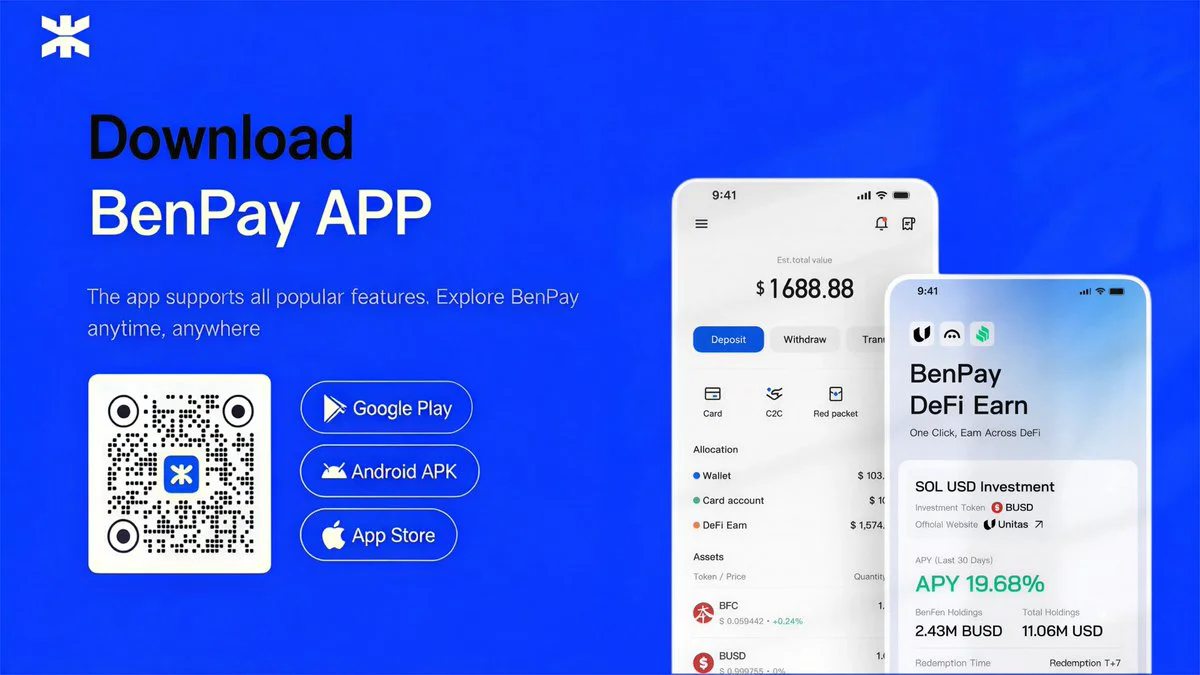
What a Self-Custodial Crypto Card Looks Like in Practice
If you’re considering an alternative to the Crypto.com model, here’s how a self-custodial card (using BenPay as an example) works step by step:
Step 1: Create a self-custodial wallet. Download the BenPay app and set up your wallet. You’ll receive a recovery phrase — this is your master key. Back it up offline and never share it.
Step 2: Deposit stablecoins. Send USDT or USDC from any exchange or wallet. If your funds are on Ethereum, BSC, Arbitrum, or Solana, the BenPay Bridge handles cross-chain transfers to BenFen at low gas cost.
Step 3: Choose a card. BenPay offers three active card types — Alpha (0% top-up fee, best for large purchases), Sigma (flat cross-border fee, optimized for Asia-based spending), and Delta (0 monthly fee, balanced for everyday use). Each costs 9.9 BUSD to open.
Step 4: Top up on-chain and spend. Authorize a top-up from your wallet to your card balance. Then bind to Apple Pay, Google Pay, Alipay, or WeChat Pay for tap-to-pay purchases at any supported merchant.
What’s different from Crypto.com:
- No token staking required to access card features.
- Your stablecoins remain in your wallet until you choose to move them to the card.
- Each top-up is an on-chain transaction with a verifiable record.
- BenFen Inc. holds a U.S. FinCEN MSB license (Reg. No. 31000260888727), providing a regulatory baseline.
What’s the trade-off:
- You manage your own keys. Lose the recovery phrase, lose access — permanently.
- No CRO-style cashback rewards. You’re choosing control over token-based incentives.
- Cross-chain bridging involves smart contract risk, even with SlowMist audits in place.
Can You Earn Yield Instead of Cashback?
One way self-custodial platforms address the “no cashback” gap is through DeFi yield. BenPay’s DeFi Earn feature lets you allocate idle stablecoins to vetted protocols (Aave, Compound, Unitas) and earn an annual percentage yield (APY) while your funds aren’t being spent.
How this compares to Crypto.com Earn: Crypto.com Earn is custodial — you deposit funds with Crypto.com and they manage the yield. BenPay’s DeFi Earn is non-custodial — your funds interact directly with DeFi protocols through smart contracts, and you can redeem at any time.
Risk reminder: Neither model guarantees returns. DeFi yields fluctuate with market conditions. Crypto.com Earn depends on the platform’s solvency. DeFi Earn depends on smart contract security. Both carry risk — just different kinds.
FAQ
1.Can I buy Bitcoin using my Crypto.com Visa card? No. The card is for spending crypto as fiat, not for purchasing crypto. To buy Bitcoin, you’d use the Crypto.com app’s trading function or another exchange — funded via bank transfer, not via the card.
2.Is Crypto.com card free? The basic Midnight Blue tier has no CRO staking requirement. However, higher tiers (with better cashback) require staking $400 to $40,000+ in CRO. The “free” card still involves potential fees for ATM use, FX conversion, and certain transactions.
3.What’s the difference between custodial and self-custodial crypto cards? With a custodial card, the issuer (e.g., Crypto.com) holds your funds after you load the card. With a self-custodial card (e.g., BenPay), your crypto stays in your own wallet — secured by your private keys — until you authorize a specific top-up.
4.Is a self-custodial card safer than Crypto.com? “Safer” depends on the risk you’re most concerned about. Self-custodial cards eliminate counterparty risk (no company holding your funds). But they introduce self-management risk (if you lose your keys, no one can help). Choose based on which risk you’re more comfortable managing.
5.Can I use a crypto debit card in mainland China? Most international crypto cards have limited functionality in mainland China. BenPay’s Sigma Card specifically supports Alipay and WeChat Pay with a flat cross-border fee, making it one of the more practical options for that region. Always check regional restrictions before applying.
3.Does Coinbase Accept Credit Cards?