
If you’re using Crypto.com — or thinking about it — one of the first things you’ll wonder is: does Crypto.com have a wallet? The answer is yes, but it’s more nuanced than a simple yes/no. Crypto.com actually offers two very different wallet products, and understanding the distinction between them is critical to knowing where your crypto actually sits and who controls it. This guide explains both options, breaks down the custodial vs. non-custodial difference in plain terms, and compares Crypto.com’s approach to purpose-built non-custodial crypto wallets.
Yes, Crypto.com Has a Wallet — Actually, Two of Them
Crypto.com provides two separate wallet products, and they work in fundamentally different ways:
1. The Crypto.com App Wallet (Custodial)
This is the wallet most people use without realizing it’s custodial. When you sign up for the Crypto.com app, buy crypto, and see a balance on your screen — that balance lives in Crypto.com’s custodial wallet. It feels like “your wallet,” but technically, Crypto.com holds the private keys. You access your funds through your account login, not through a recovery phrase or private key that you control.
Think of it like a checking account: the bank (Crypto.com) holds the money, and you access it through their app. If they freeze your account, restrict your region, or face operational issues, your access to those funds is affected.
2. The Crypto.com DeFi Wallet (Non-Custodial)
Crypto.com also offers a separate app called the Crypto.com DeFi Wallet. This is a non-custodial wallet — meaning you hold your own private keys and recovery phrase. Crypto.com cannot access, freeze, or control the funds in this wallet. If you lose your recovery phrase, Crypto.com cannot help you recover it.
The DeFi Wallet supports multiple blockchains (Ethereum, Cronos, Cosmos, etc.) and lets you interact with DeFi protocols, swap tokens, and manage NFTs. It’s a genuinely different product from the main Crypto.com app.
The confusion: Many users assume the Crypto.com app wallet is “their wallet” and don’t realize the custodial implications until something goes wrong — an account restriction, a withdrawal hold, or a compliance review that temporarily locks their funds. Understanding which wallet you’re using is the first step to making an informed decision about how your crypto is stored.
Custodial vs. Non-Custodial: Why This Distinction Actually Matters
These aren’t just technical labels — they represent fundamentally different relationships with your money.
Custodial wallet (like the Crypto.com app): A third party holds the private keys to your crypto. You access your funds through a username/password login. The custodian can freeze, restrict, or delay access to your funds based on their policies, regulatory requirements, or operational decisions. In exchange, you get convenience — no recovery phrase to manage, familiar login experience, and integrated trading/spending features.
Non-custodial wallet (like the Crypto.com DeFi Wallet, orBenPay Wallet): You hold the private keys, typically secured by a 12- or 24-word recovery phrase. No company can freeze your funds. But if you lose the recovery phrase, no one can help you recover access — not the wallet provider, not customer support, not anyone.
A real-world analogy: A custodial wallet is like a hotel safe — the hotel manages it, and you need their cooperation to access your valuables. A non-custodial wallet is like a personal safe at home — only you have the combination, but if you forget it, there’s no “reset password” option.
Why this matters in practice:
In 2022–2023, multiple custodial platforms (FTX, Celsius, BlockFi) froze user funds during bankruptcy proceedings. Users with assets in custodial wallets on those platforms lost access — in some cases permanently. Users who had moved their crypto to non-custodial wallets before those events retained full control.
This doesn’t mean custodial wallets are inherently “bad.” Crypto.com, as a publicly visible company with regulatory licenses, has a stronger track record than failed platforms. But the structural risk of custodial storage — that someone else controls your access — is the same regardless of the custodian’s reputation.
What the Crypto.com DeFi Wallet Does Well (and Where It Falls Short)
If you’ve decided you want non-custodial storage, Crypto.com’s DeFi Wallet is one option. Here’s an honest assessment:
Strengths:
The DeFi Wallet supports a wide range of chains including Ethereum, Cronos, Cosmos, and others. It offers built-in token swaps, DeFi protocol access, and NFT management. The interface is relatively polished compared to some competitor wallets. And it integrates with the main Crypto.com app, allowing you to transfer funds between your custodial and non-custodial wallets (though this is a one-directional security decision — moving to the DeFi Wallet gives you control, moving back gives it to Crypto.com).
Limitations:
The wallet is heavily optimized for the Cronos ecosystem. While it supports other chains, users primarily operating on networks like BNB Chain, Solana, or newer Layer 1s may find the experience less seamless. DeFi features are available but require manual interaction with individual protocols — there’s no one-click yield aggregation for stablecoins. And critically, the DeFi Wallet has no direct connection to a crypto debit card — you can’t spend from your DeFi Wallet at a store. To spend, you’d need to move funds back to the custodial app and load the Crypto.com Card, which defeats the purpose of non-custodial storage.
The gap: Crypto.com separates “store securely” (DeFi Wallet) from “spend conveniently” (App + Card). If you want both non-custodial storage and the ability to spend crypto in real life, you need a platform that connects the two — which is where purpose-built non-custodial wallet + card solutions come in.
How Non-Custodial Wallets Compare: Crypto.com DeFi Wallet vs. Multi-Chain Alternatives
If non-custodial storage is your priority, it’s worth comparing the options available:
|
Feature |
Crypto.com DeFi Wallet |
MetaMask / Trust Wallet | |
|
Custody |
Non-custodial (you hold keys) |
Non-custodial (you hold keys) |
Non-custodial (you hold keys) |
|
Supported Chains |
Ethereum, Cronos, Cosmos, others |
Ethereum + EVM chains (MetaMask); 70+ chains (Trust Wallet) |
BenFen + multi-chain via bridge (Ethereum, BSC, Arbitrum, Solana) |
|
DeFi Access |
Manual protocol interaction |
Manual protocol interaction |
One-click DeFi Earn (Aave, Compound, Unitas) |
|
Stablecoin Optimization |
General purpose |
General purpose |
Built for USDT/USDC workflows |
|
Crypto Debit Card |
No (requires moving to custodial app) |
No |
Yes — direct card top-up from wallet |
|
Mobile Payments |
N/A |
N/A |
Apple Pay, Google Pay, Alipay, WeChat Pay |
|
Security Audit |
Crypto.com internal |
Community audited |
SlowMist audited |
|
Regulatory Backing |
Crypto.com licenses (custodial side) |
None (pure software) |
U.S. FinCEN MSB (Reg. No. 31000260888727) |
|
Best For |
Cronos ecosystem users |
DeFi power users, multi-dApp interaction |
Stablecoin holders who want to store, earn, and spend |
The key distinction: Most non-custodial wallets are designed for storing and interacting with DeFi protocols. Very few connect directly to a spending card without requiring you to move funds back into a custodial platform.BenPay is designed specifically to bridge that gap — non-custodial storage with a direct path to card-based spending.
Important caveat: Every non-custodial wallet carries self-management risk. Losing your recovery phrase means permanent loss of access. And any wallet that interacts with smart contracts (whether for DeFi, bridging, or card top-ups) carries smart contract risk, even with audits in place.
How a Non-Custodial Wallet + Card System Works in Practice
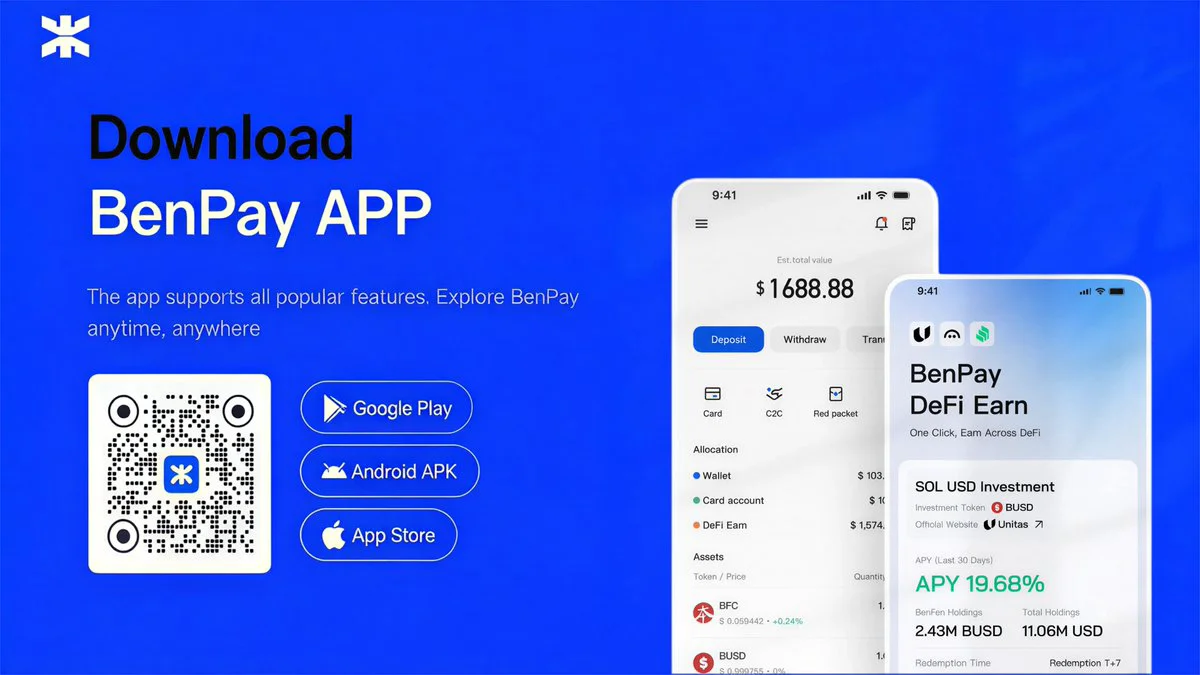
If you want both self-custody and real-world spending ability, here’s how the flow works usingBenPay as an example:
Step 1: Set up your non-custodial wallet. Download theBenPay app and create your wallet. You’ll generate a recovery phrase — this is your sole access key. Write it down on paper, store it in a secure location offline, and never share it digitally. If you lose this phrase, no one — includingBenPay — can recover your funds.
Step 2: Deposit stablecoins. Send USDT or USDC from any exchange or wallet. If your assets are on Ethereum, BSC, Arbitrum, or Solana, theBenPay Bridge transfers them to the BenFen network at low gas cost. Bridging involves smart contract interaction — even with SlowMist audits, this step carries inherent risk.
Step 3: (Optional) Earn yield on idle stablecoins. Before spending, you can allocate idle USDT toBenPay’s DeFi Earn — a one-click tool that routes your stablecoins into vetted DeFi protocols (Aave, Compound, Unitas) to earn an annual percentage yield (APY). Unlike Crypto.com Earn (which is custodial), DeFi Earn is non-custodial — your funds interact directly with smart contracts, and you can redeem at any time. APY is not guaranteed and fluctuates with market conditions.
Step 4: Choose a card and top up.BenPay offers three card types, each 9.9 BUSD to open:
Alpha Card has 0% top-up fee, supports Apple Pay, Google Pay, Alipay, and WeChat Pay, with a 200,000 USD total card limit. Best for frequent or large top-ups where the zero fee advantage compounds over time.
Sigma Card charges a flat cross-border fee with no total spend cap. Optimized for high-value cross-border transactions, especially via Alipay and WeChat Pay in Asia. The fixed per-transaction cost becomes more economical than percentage-based models at higher spend amounts.
Delta Card carries 0 monthly fee with a 0.5% top-up fee and no spend cap. The most versatile option for everyday global spending across both online and offline merchants.
Step 5: Tap to pay. Each card top-up is an on-chain transaction you authorize from your wallet — fully verifiable on the blockchain. Bind the card to Apple Pay, Google Pay, Alipay, or WeChat Pay and spend at any supported merchant worldwide.
What makes this different from Crypto.com’s setup: There’s no custodial step in between. Your stablecoins go from your non-custodial wallet directly to the card — you don’t need to transfer funds to a centralized app wallet first. The trade-off is that you’re fully responsible for your own keys, and bridging/DeFi interactions carry smart contract risk.
The Security Checklist: Non-Custodial Wallet Best Practices
Whether you use Crypto.com DeFi Wallet, MetaMask, orBenPay Wallet, the security principles for non-custodial wallets are the same:
Back up your recovery phrase physically. Write it on paper (or metal, for fire/water resistance). Store in at least two separate secure locations. Never store it in a screenshot, cloud drive, email draft, or notes app.
Never share your recovery phrase. No legitimate service will ever ask for it. Anyone who requests it is attempting to steal your funds — no exceptions.
Manage token approvals. When you interact with DeFi protocols, you grant smart contract permissions. Regularly review and revoke unnecessary approvals to minimize exposure if a protocol is compromised.
Be cautious with bridging. Cross-chain bridges (includingBenPay Bridge) involve smart contract interaction. Even audited bridges carry risk. Start with small amounts when using a bridge for the first time.
Use hardware wallet integration when possible. For large holdings, consider connecting your non-custodial wallet to a hardware wallet (Ledger, Trezor) for an additional layer of security on transaction signing.
FAQ
1. Does Crypto.com have a non-custodial wallet?
Yes — the Crypto.com DeFi Wallet is a separate, non-custodial app where you hold your own private keys. It’s different from the main Crypto.com app, which is custodial. The two can transfer funds between each other, but they represent fundamentally different storage models.
2. Can I spend from the Crypto.com DeFi Wallet using the Crypto.com Card?
Not directly. To use the Crypto.com Card, you need to move funds from the DeFi Wallet back to the custodial Crypto.com app. This means giving up non-custodial control to access spending features — a trade-off that some users find unacceptable.
3. What happens if I lose my recovery phrase?
Your funds become permanently inaccessible. No wallet provider — not Crypto.com, notBenPay, not anyone — can recover a non-custodial wallet without the recovery phrase. This is the core trade-off of self-custody.
4. Is a non-custodial wallet safer than keeping crypto on Crypto.com?
It eliminates counterparty risk (no company can freeze your funds), but introduces self-management risk (you’re solely responsible for key security). Neither model is universally “safer” — it depends on whether you’re more concerned about platform risk or self-management risk.
5. Can I earn yield from a non-custodial wallet?
Yes. Crypto.com’s DeFi Wallet lets you interact with DeFi protocols manually.BenPay’s DeFi Earn offers a one-click approach to allocating stablecoins to vetted protocols (Aave, Compound, Unitas). Both carry smart contract risk, and yields are never guaranteed.
6. What chains does BenPay Wallet support?
BenPay Wallet operates on the BenFen network. Through theBenPay Bridge, it supports cross-chain transfers from Ethereum, BSC, Arbitrum, Solana, and other major networks. Bridging involves smart contract interaction and carries associated risks even with SlowMist audits in place.
7.How Do I Create a Crypto Wallet?