

You want to buy crypto quickly, and a credit card seems like the fastest way. So you search: does Coinbase take credit cards? The short answer is complicated — and even when it technically works, the fees make it a bad deal for most people. This guide covers every payment method Coinbase currently supports, explains why credit cards became impractical for crypto purchases, and walks through alternative approaches if your real goal is to spend or manage crypto rather than just buy it.
The Direct Answer: Does Coinbase Take Credit Cards?
Technically, in some regions — but practically, it’s rarely worth it. Coinbase’s platform has historically supported credit card purchases. However, the reality in 2025–2026 looks very different from what it did a few years ago.
Here’s what’s changed:
Most major card issuers now block or restrict crypto purchases. Visa, Mastercard, and American Express have given individual banks discretion to decline crypto transactions. In the U.S., issuers like Chase, Citi, Bank of America, and Capital One have all implemented partial or full blocks on credit card purchases at crypto exchanges at various points. Even if Coinbase’s checkout page accepts your card number, the transaction may be declined on the bank’s end.
When it does go through, the fees stack up fast. Coinbase charges approximately 3.99% for credit card purchases — already among the highest funding methods on the platform. But that’s only the beginning. Your credit card issuer will likely classify the transaction as a cash advance, not a standard purchase. Cash advances typically carry a separate fee (3–5% of the transaction amount), a higher interest rate (often 22–28% APR), and no grace period — meaning interest begins accruing immediately, not at the end of your billing cycle.
The total cost example: If you buy $1,000 of Bitcoin with a credit card on Coinbase, you might pay $39.90 (Coinbase fee) + $30–50 (cash advance fee) + immediate daily interest at ~25% APR. Within the first month, your $1,000 purchase could cost you $1,090–$1,120 before Bitcoin moves a single dollar.
Bottom line: Credit cards are the most expensive way to buy crypto on Coinbase. Unless you have a very specific reason and a card that doesn’t charge cash advance fees (rare), it’s almost always better to use a different funding method.
Every Payment Method Coinbase Supports (and What Each Actually Costs)
Since credit cards are impractical for most users, it helps to understand the full picture. Here’s what Coinbase currently accepts and the real cost of each:
|
Payment Method |
Typical Fee |
Speed |
Availability |
Key Limitation |
|
Bank Transfer (ACH) |
~1.49% |
3–5 business days |
U.S. only |
Slow settlement; funds may be held |
|
Debit Card |
~3.99% |
Instant |
Most regions |
High fee; daily limits |
|
Credit Card |
~3.99% + cash advance |
Instant |
Very limited |
Most issuers block it; highest total cost |
|
Wire Transfer |
$10–25 flat |
1–3 business days |
U.S. and select regions |
Minimum amounts; bank fees on top |
|
PayPal |
~3.99% |
Instant |
U.S. and select EU |
Availability varies; PayPal spreads apply |
|
Apple Pay |
~3.99% |
Instant |
U.S. (limited) |
Linked to debit/credit card fees |
|
Crypto Deposit |
Network fee only |
Minutes |
Global |
Must already own crypto |
The pattern is clear: Instant methods are expensive (3.99%+), and affordable methods are slow (3–5 days). There’s no “fast and cheap” option for getting fiat into Coinbase.
This is one reason many users who already hold stablecoins (USDT, USDC) are looking at a different approach entirely — rather than buying crypto through Coinbase, they want to spend the crypto they already have, directly.
The Bigger Question: Do You Actually Need to Buy Crypto on Coinbase?
Here’s where it’s worth stepping back. Many people searching “does Coinbase take credit cards” aren’t really asking about Coinbase’s payment processing — they’re trying to solve one of these problems:
“I want crypto quickly.” If speed is the priority and you’re willing to pay 3.99%+, a debit card on Coinbase works. But if you already hold stablecoins elsewhere (on Binance, in a wallet, on another chain), you don’t need to buy more — you need a way to use what you have.
“I want to spend crypto in real life.” The Coinbase Card (a Visa debit card) lets you do this, but it’s custodial — Coinbase holds your funds and manages the conversion. Self-custodial alternatives likeBenPay Card let you spend USDT/USDC directly while retaining control of your private keys.
“I want the best value for converting crypto to fiat.” Coinbase’s conversion spread (0.5–2%) plus potential trading fees make it one of the more expensive paths. Purpose-built stablecoin spending platforms often have more predictable and lower total costs.
The point is: Coinbase is excellent for buying and trading crypto. But for spending crypto, it’s not necessarily the most efficient or secure option — especially if your holdings are primarily stablecoins.
Coinbase Card vs. Self-Custodial Cards: A Structural Comparison
If your goal is spending crypto (not buying more), the card you choose matters more than the exchange you use. Here’s how the two main models compare:
|
Feature |
Coinbase Card (Custodial) |
Self-Custodial Cards (e.g.,BenPay) |
|
Who holds your crypto |
Coinbase (you trust the platform) |
You (private keys in your wallet) |
|
What you can spend |
Any crypto in your Coinbase account |
USDT / USDC (stablecoin-focused) |
|
Conversion cost |
0.5–2% spread per transaction |
Varies by card type (Alpha: 0% top-up fee) |
|
Card network |
Visa |
Visa / Mastercard |
|
Mobile payments |
Google Pay (Apple Pay limited) |
Apple Pay, Google Pay, Alipay, WeChat Pay |
|
Crypto rewards |
Up to 4% back in select crypto |
No token rewards;DeFi Earn yield instead |
|
Multi-chain support |
Coinbase ecosystem only |
Multi-chain viaBenPay Bridge |
|
Regulatory license |
U.S. publicly traded, multiple licenses |
U.S. FinCEN MSB (Reg. No. 31000260888727) |
|
Account freeze risk |
Platform-dependent |
Lower (self-custodial architecture) |
|
Smart contract audit |
N/A (centralized) |
SlowMist audited |
|
Best for |
Coinbase-native users wanting easy spending |
Users who want asset control + stablecoin efficiency |
Neither model is universally better. Coinbase Card wins on simplicity — if you already use Coinbase, it’s one tap to start spending.BenPay wins on control and payment ecosystem breadth — especially if you need Alipay or WeChat Pay, or if custodial risk is a concern for you.
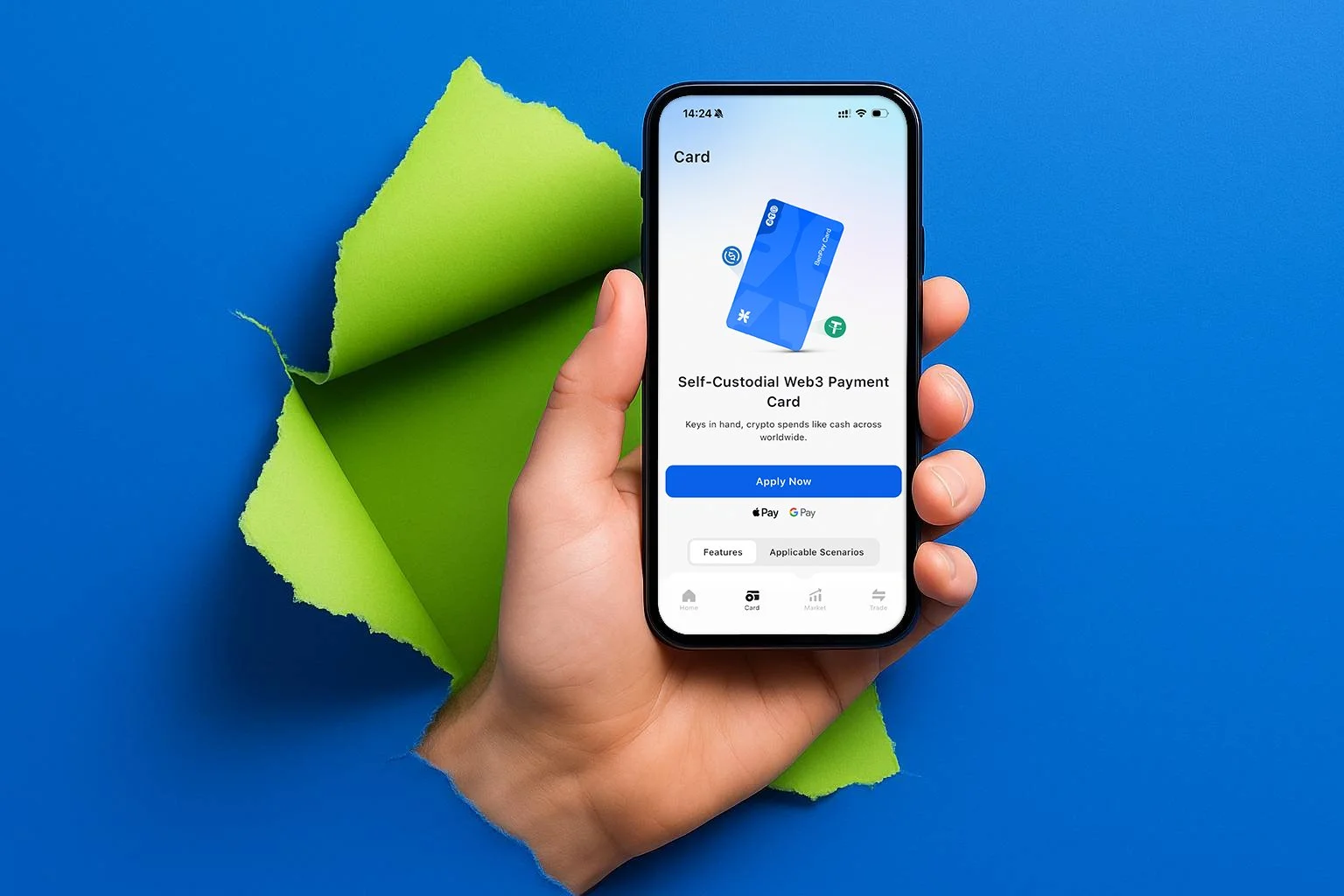
How Self-Custodial Crypto Spending Actually Works
If you’re used to the Coinbase model (deposit → trade → spend via card), the self-custodial flow is slightly different. Here’s how it works usingBenPay as an example:
Step 1: Create your own wallet. Download theBenPay app and generate a self-custodial wallet. You’ll receive a recovery phrase — this is your sole access key. Store it offline, never share it, and understand that losing it means permanent loss of access. No one, includingBenPay, can recover it for you.
Step 2: Move your stablecoins in. If you have USDT or USDC on Coinbase, Binance, or any other platform, withdraw them to yourBenPay Wallet. For funds on Ethereum, BSC, Arbitrum, or Solana, theBenPay Bridge handles cross-chain transfers to the BenFen network with low gas costs. This step involves smart contract interaction — even with SlowMist audits in place, bridging carries inherent risk.
Step 3: Pick a card that matches your usage.BenPay offers three active card types:
Alpha Card has 0% top-up fee, supports Apple Pay, Google Pay, Alipay, and WeChat Pay, and carries a 200,000 USD total card limit. It’s the best fit for users who top up frequently or in large amounts, since every top-up saves on fees compared to other card types.
Sigma Card charges a flat cross-border transaction fee with no cap on total spend. It’s specifically optimized for cross-border transactions in Asia — if you’re regularly paying via Alipay or WeChat Pay in mainland China, Sigma’s fee structure is designed for that pattern.
Delta Card has 0 monthly fee, a 0.5% top-up fee, and no total spend cap. It’s the most versatile option for everyday global use across both online and offline merchants.
All three cost 9.9 BUSD to open.
Step 4: Authorize, top up, and tap to pay. Each top-up is an on-chain transaction you authorize from your wallet — there’s a verifiable record on the blockchain. Once funded, bind the card to Apple Pay, Google Pay, Alipay, or WeChat Pay and spend at any supported merchant worldwide.
Yield on Idle Crypto: An Alternative to Cashback Rewards
Coinbase Card offers up to 4% cashback in crypto. If you switch to a self-custodial card that doesn’t offer token rewards, what’s the trade-off?
One answer is DeFi yield.BenPay’s DeFi Earn lets you allocate idle stablecoins to vetted protocols (Aave, Compound, Unitas) and earn an annual percentage yield (APY) — effectively making your dormant USDT work for you between spending periods.
How this compares to Coinbase’s approach: Coinbase offers its own earn products, but they’re fully custodial — Coinbase holds your funds and manages the yield. WithDeFi Earn, your stablecoins interact directly with DeFi smart contracts, and you can redeem back to yourBenPay Wallet at any time.
The risk reality: Neither approach guarantees returns. Coinbase Earn depends on the platform’s solvency. DeFi Earn depends on smart contract security. APY fluctuates with market conditions, and even audited protocols can have undiscovered vulnerabilities. Treat yield as a potential benefit, not a guaranteed income.
FAQ
1. Can I use a Visa credit card to buy Bitcoin on Coinbase? In theory, some Visa credit cards may still work on Coinbase in select regions. In practice, most U.S. banks now block or surcharge these transactions, and Coinbase’s own 3.99% fee plus your bank’s cash advance charges make it one of the most expensive ways to acquire crypto.
2. Why does my credit card get declined on Coinbase? Most likely because your card issuer has flagged cryptocurrency exchanges as restricted merchants. This is a bank-side policy, not a Coinbase issue. Contact your bank to confirm their policy, but be aware that even if they unblock it, cash advance fees will still apply.
3. What’s the cheapest way to fund a Coinbase account? ACH bank transfer (U.S.) at approximately 1.49% is the most cost-effective option, though it takes 3–5 business days to settle. Wire transfers have a flat fee ($10–25) that’s more efficient for larger amounts.
4. Is the Coinbase Card the same as a credit card? No. The Coinbase Card is a Visa debit card — it lets you spend crypto you already own. It does not extend credit, offer a credit line, or allow you to borrow against your holdings.
5. Can I spend USDT at regular stores without Coinbase? Yes. Self-custodial crypto debit cards likeBenPay Card let you top up with USDT or USDC and spend at any Visa/Mastercard-accepting merchant via Apple Pay, Google Pay, Alipay, or WeChat Pay — without needing a Coinbase account.
6. What does “self-custodial” mean for a crypto card? It means the card issuer does not hold your crypto. Your assets stay in a wallet where you control the private keys until you authorize a specific card top-up. This reduces the risk of a platform freezing your funds, but requires you to securely manage your own recovery phrase.
7. Can I use a crypto debit card with Alipay or WeChat Pay? Most exchange-issued cards (Coinbase, Binance, Crypto.com) do not support Alipay or WeChat Pay.BenPay Card supports both across all three card types (Alpha, Sigma, Delta), in addition to Apple Pay and Google Pay.
5.How to Link a Bank Card to Crypto.com