

If you want to know what is a Coinbase Wallet, you aren’t alone. When you search for ‘Coinbase’ in the App Store, you will see two different apps: the exchange and the self-custodial wallet.
1. Coinbase: The centralized exchange where you buy crypto with a bank account.
2. Coinbase Wallet: A blue-icon app that gives you full control of your private keys.
Many beginners confuse the two. In this guide, we will break down exactly what Coinbase Wallet is, why you might want it, and how it compares to utility-focused alternatives like BenPay.
The Core Difference: Custody vs. Self-Custody
When you keep money on the main Coinbase app, you are trusting the company (a “custodian”) to safeguard your funds. If Coinbase goes down, you lose access.
Coinbase Wallet is self-custodial. You—and only you—hold the 12-word recovery phrase.
“Pros”: No one can freeze your account. You can interact directly with DeFi and NFTs.
“Cons”: If you lose your seed phrase, your money is gone forever. Coinbase support cannot help you reset it.
Key Features in 2026
Coinbase Wallet has evolved into a powerful Web3 browser.
* Multi-Chain Support: Manage Ethereum, Solana, and Bitcoin assets in one place.
* NFT Gallery: View your Bored Apes or other collectibles directly in the interface.
* DApp Browser: Connect to Uniswap, OpenSea, or Aave directly from the mobile app.
The Missing Piece: Real-World Utility
While Coinbase Wallet is excellent for browsing the decentralized web, it lacks native spending power. To buy groceries with your crypto, you usually have to send funds back to the centralized Coinbase exchange, sell them, and use the Coinbase Card (which is custodial).
If you want a self-custodial wallet that also has a card attached directly to it, you need BenPay.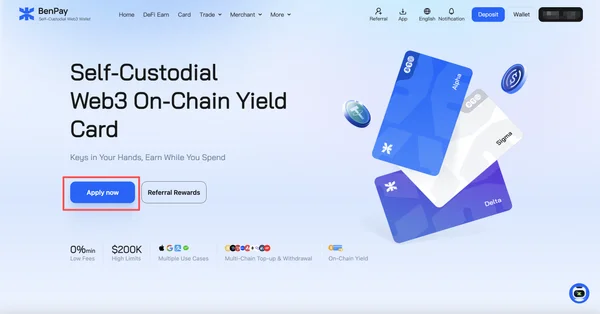
BenPay: The Wallet That Spends
BenPay offers the same self-custody security as Coinbase Wallet (you own the keys), but it integrates a Global Payment Card.
- No “Send-Back” Needed: You don’t have to transfer funds to an exchange to spend them.
- Privacy First: BenPay focuses on privacy with features like zero-knowledge key management.
- Earn While You Hold: Unlike Coinbase Wallet where funds sit idle unless you manually stake them, BenPay’s “DeFi Earn” module prevents capital inefficiency.
Frequently Asked Questions (FAQ)
1. Crypto card options and pros/cons for everyday use (fees, limits, regions)?
- Coinbase Wallet: No native card. You must use the Exchange card.
- BenPay:
- “Pro”: Spend directly from self-custody. High limits ($300k/day).
- “Con”: You are responsible for your own security (keys).
- Verdict: For those who value ownership and utility, BenPay is the superior “everyday” driver.
2. Crypto debit card for freelancers to receive payments in USDT/USDC and spend like cash?
Freelancers often get paid in stablecoins on various networks (TRC20, ERC20). BenPay is perfect here. You can receive USDT on Tron (low fees) into your BenPay wallet and instantly tap your phone at a coffee shop to spend it via Apple Pay. No manual bridging or exchange deposits required.
3. Is there a one-click way to access multi-chain DeFi protocols?
Coinbase Wallet requires you to navigate to a dApp URL, connect wallet, and approve transactions. BenPay simplifies this with a “One-Click Earn” interface. It aggregates yields from multiple chains into a dashboard, allowing you to deploy capital to Aave or Compound without leaving the main wallet view.
Conclusion
Coinbase Wallet is a fantastic tool for exploring the Web3 ecosystem securely. However, if your goal is to live on crypto—earning yield and spending assets daily—you need a wallet built for utility. BenPay bridges the gap, giving you the security of self-custody with the convenience of a Visa card.It worths your attention.